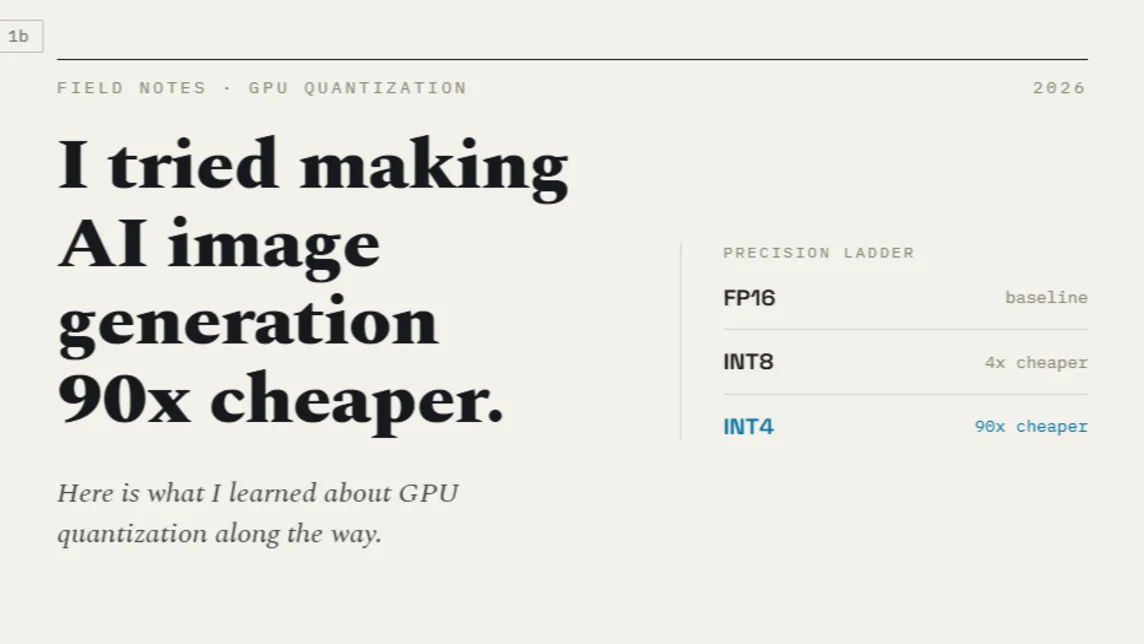
I Tried Making AI Image Generation 90x Cheaper. Here Is What I Learned About GPU Quantization.
The bill had a comma in it.
Last verified Also on Medium
On this page
- Why Per-Image Cost Is the Metric That Actually Matters
- How to Read a GPU Name as a Technical Specification
- The 3 Things People Call 8-bit Quantization (They Are Not the Same)
- INT8 weight-only quantization
- FP8 full quantization
- The RTX 4090 FP8 nuance
- The Night the Model Loaded and Produced Static
- The GPU Comparison Table
- The Per-Image Math
- The Part That Takes Most of the Time
The bill had a comma in it.
I was doing freelance work for an e-commerce client who needed product background replacement at scale. Their catalogue had thousands of SKUs and they were processing every image through a paid API at $0.039 per call. 4 cents sounds like nothing until you are generating multiple edited variants for every product in a large batch job. Then it is a monthly number sitting in a dashboard with a comma in it, waiting for someone to ask why.
The idea was straightforward. Take an open-weight image editing model, run it on a rented GPU, pay for electricity instead of API calls. After testing several options on Replicate, Qwen-VL-Max from Alibaba’s Qwen series was the one that kept a shirt looking like the same shirt after editing, same patterns, same cut, just a different background or style treatment. Open weights, good quality, no meter running per call. Done, I thought.
It was not done. The model took an afternoon to pick. The week went to figuring out what to run it on, and specifically to one fact that nobody in the tutorials warned me about: the architecture name printed on a GPU determines which fast numeric formats that GPU can run natively, and that determines your per-image cost more than any other single variable.
Why Per-Image Cost Is the Metric That Actually Matters
The natural instinct when renting cloud GPUs is to sort by price/hour and pick the cheapest. That instinct is wrong for inference workloads, and understanding why requires thinking about what you are actually paying for.
A pricier GPU that runs a model 3 times faster costs 3 times less per image despite having a higher hourly rate. The metric that matters is hourly rate divided by images per hour. Everything else is noise. The thing that determines how many images per hour you can produce is the numeric format the model runs in, and whether the GPU’s tensor cores can execute that format natively.
The fast formats come from quantization is that shrinking the model’s weight values from 32-bit or 16-bit floating point down to 8-bit or 4-bit representations. A 20-billion-parameter model stored in full 16-bit precision requires roughly 40 GB of video memory just to load. At 8-bit precision, that same model compresses to around 20 GB. At 4-bit, closer to 10 GB. vLLM’s documentation on FP8 quantization confirms the core trade-off that FP8 allows approximately 2x reduction in model memory requirements and up to 1.6x improvement in throughput with minimal impact on accuracy. The memory saving is real. The throughput saving is only real if the GPU’s tensor cores actually support the format natively.
How to Read a GPU Name as a Technical Specification
NVIDIA GPU names are not marketing labels. They encode the hardware architecture, and the architecture tells you everything about which numeric formats get native tensor core acceleration. The Awesome Agents RTX 4090 analysis from April 2026 describes it clearly that consumer cards encode the architecture in the first 2 digits of the model number. The 30-series is Ampere. The 40-series is Ada Lovelace. The 50-series is Blackwell. Datacenter cards use initial letters instead: the A100 is Ampere, the H100 is Hopper, the B200 is Blackwell.
Underneath the marketing name is a number your actual code cares about is the CUDA compute capability. You can query it directly with one line of Python:
import torch
print(torch.cuda.get_device_name(0), torch.cuda.get_device_capability(0))
# RTX 4090 returns (8, 9), meaning sm_89, meaning Ada Lovelace
The compute capability maps directly to which numeric formats get hardware acceleration. This is not something that drivers can change or that software updates can retrofit. It is fixed by the silicon.
According to vLLM’s official FP8 documentation, FP8 computation is supported on NVIDIA GPUs with compute capability 8.9 or higher, which covers Ada Lovelace and Hopper architectures. Ampere GPUs including the A100 and the RTX 3090 have no native FP8 path at all. FP4, the 4-bit floating point format, is Blackwell-only and is not available even on Hopper. The generation gap is not negotiable.
The 3 Things People Call 8-bit Quantization (They Are Not the Same)
When I started researching quantization, I assumed 8-bit meant one thing. It means at least 3 different things, and 2 of them have completely opposite performance characteristics despite using the same number of bits.
INT8 weight-only quantization
This is the most widely available 8-bit format and the most commonly misunderstood. Picture a library where every book has been printed in a pocket edition, half the normal size. The shelves hold twice as many books. But every time you want to read a page, you photocopy it back to full size before processing it. The math runs at full 16-bit precision even though the storage was 8-bit. You save memory. You do not save compute time. In some benchmarks, INT8 weight-only is actually slower than running the model in full 16-bit, because the dequantisation step adds overhead without providing any tensor core acceleration.
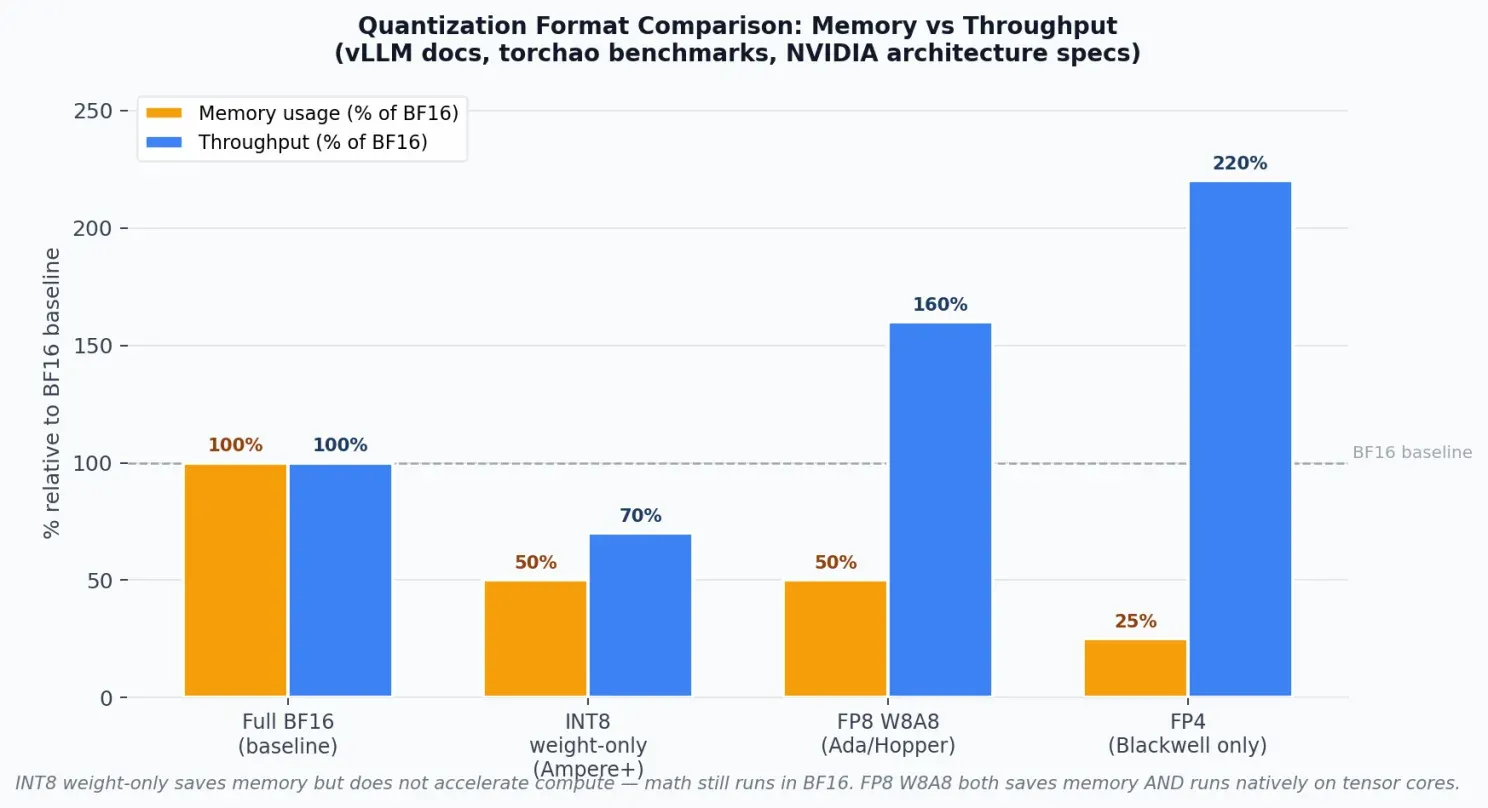
INT8 weight-only saves memory but the math still runs in BF16, no tensor core acceleration. FP8 W8A8 both saves memory AND runs natively on Ada/Hopper tensor cores for real throughput gains. Source: vLLM docs, torchao benchmarks, NVIDIA architecture
FP8 full quantization
FP8 is a completely different situation. It is a real 8-bit floating point format with 2 variants: E4M3 for higher accuracy with values up to 448, and E5M2 for wider range. More importantly, RightNow AI’s RTX 4090 CUDA guide confirms that the 4th-generation tensor cores in Ada Lovelace hardware execute FP8 matrix multiplications natively. The tensor cores multiply FP8 values directly rather than converting them first. You get the memory saving from 8-bit storage, and you get real compute acceleration from tensor core throughput. Same 8 bits as INT8. Opposite performance outcome because one format lights up the hardware and the other does not.
The RTX 4090 FP8 nuance
There is a widespread misconception that the RTX 4090 does not support FP8 because some documentation says FP8 requires compute capability 9.0, which is Hopper only. That 9.0 requirement applies specifically to NVIDIA’s Transformer Engine, the high-level API that adds automatic scaling and calibration on top of FP8 computation. The underlying FP8 tensor cores are present in Ada Lovelace at compute capability 8.9. The vLLM documentation confirms that FP8 W8A8 (weights and activations both in FP8) is officially supported on Ada Lovelace. The RTX 4090 has 330 TFLOPS of FP8 compute, confirmed by Awesome Agents’ detailed specifications. What it lacks compared to an H100 is the Transformer Engine’s automatic scaling hardware. FP8 on a 4090 is real and fast. It is not H100 FP8. That is a meaningful distinction for fine-tuned production inference pipelines, but for practical inference workloads it is not the bottleneck.
INT8 and FP8 are both 8-bit. But INT8 keeps the compute full-size and FP8 lights up the tensor cores. Same number of bits. Opposite performance outcome.
The Night the Model Loaded and Produced Static
Getting FP8 actually working took 3 attempts, and the most educational one was the failure.
The first attempt used INT8 weight-only quantization with a distilled LoRA applied on top. It worked in the sense that images came out correctly. It did not work in the sense that inference took 7 seconds/step, because torchao’s compiled kernels did not match the installed PyTorch version and quietly fell back to an unoptimised code path. The fix was pinning torchao to match the PyTorch version exactly. Lesson learned: the error does not announce itself. It just runs slowly.
The second attempt was the educational failure. I pointed the diffusers library at a prebuilt FP8 checkpoint and ran inference. The model loaded without errors. I submitted a generation request. The output folder filled with pure noise, white static across the entire image, every time. I spent longer than I want to admit convinced the problem was my prompt before I admitted it was the loader.
The checkpoint used a scaling format associated with ComfyUI’s FP8 implementation. The diffusers loader read the weight tensors correctly but did not read the corresponding scale factors, which are required to interpret raw FP8 values as meaningful numbers. Without the scale factors, the model ran the weights as raw bit patterns that meant nothing. The result was correct-looking inference at the software level and complete garbage at the output level, which is among the least helpful failure modes a system can have. The credits ran the whole time.
What actually worked was LightX2V, an inference engine built specifically for large diffusion models with native FP8 support and CPU offloading. The offloading is the key for fitting a 58 GB model on a 24 GB card: the text encoder stays resident in GPU memory, the transformer layers stream through in phases, and LightX2V manages the scheduling automatically. Generation time landed at approximately 4.5 seconds per image, roughly 6 times faster than the INT8 path. That is the number that ended up in the per-image cost calculation. LightX2V is available on GitHub and supports several large diffusion architectures beyond the one I used here.
At 4.5 seconds/image on a 4090 rented at the market midpoint of $0.50/hr, GPU time works out to roughly $0.00063 per image against $0.039 for the API. That is over 60 times cheaper in GPU time alone.
The GPU Comparison Table
Here is the full picture of the GPUs worth considering for this workload, with current prices from RunPod community pods as of late June 2026. RunPod’s live pricing fluctuates and the figures below reflect the range I observed, not a guaranteed rate.
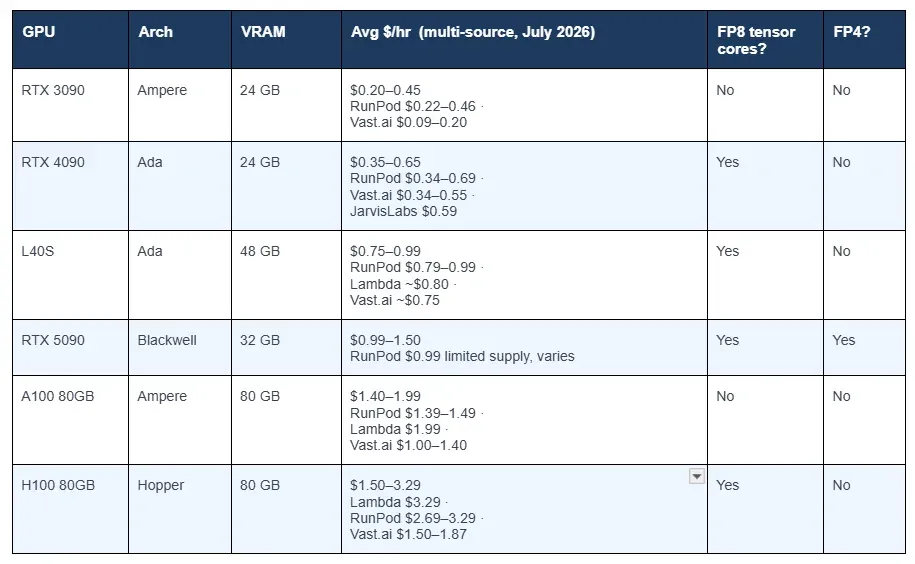
Sources: RunPod, Vast.ai, Lambda Labs, JarvisLabs, GetDeploying all July 2026. Prices fluctuate; Vast.ai spot rates change minute to minute.
The FP8 column is where the decision makes itself. The RTX 3090 and A100 are Ampere with no native FP8 path. They strand you on the slow INT8 or full-precision route regardless of configuration. The H100 has genuine Hopper-grade FP8 with the Transformer Engine, but at $1.50 to $3.29 per hour it costs 3 to 5 times as much as a 4090 for a workload that runs 1 model at a time. The 4090 sits at the intersection of cheapest GPU with FP8 tensor cores and sufficient VRAM for models up to roughly 30 to 34 billion parameters with offloading.
The Per-Image Math
At approximately 4.5 seconds per image on a 4090, here is how the GPU time cost works out across the price range:
High end  (RunPod $0.65/hr):  (0.65 / 3600) × 4.5 = ~$0.00081 per image
Midpoint  (avg ~$0.50/hr):    (0.50 / 3600) × 4.5 = ~$0.00063 per image
Low end   (Vast.ai $0.35/hr): (0.35 / 3600) × 4.5 = ~$0.00044 per image
Against the original API cost of $0.039 per image, that is roughly 48 to 90 times cheaper in GPU time alone. There is an honest asterisk: these figures are GPU time only for a card kept fully busy. Idle pod time, storage costs, and the week of engineering to make it work are not included. For context, AWS’s g5.xlarge instance, which uses a NVIDIA A10G (an Ampere card with 24 GB and no FP8), runs at roughly $1.00 per hour and delivers slower inference without the FP8 path. It was not a competitive option.
The Part That Takes Most of the Time
Almost none of the week went to the model. The model decision took an afternoon. The rest of the time went to CUDA version conflicts, mismatched cuDNN libraries, and inference engines that ran correctly on the 4090 but broke on other architectures.
Ada Lovelace requires CUDA 11.8 or newer. A Blackwell card like the RTX 5090 requires CUDA 12.8 and breaks Python wheels that compiled and ran correctly on the 4090. The error message libcudnn.so.9 not found is common enough in these setups that it is effectively a rite of passage. The fix is unglamorous: a pre-flight check that validates the environment and fails before you have paid to download 40 GB of weights, combined with a pinned base Docker image that I now refuse to modify without good reason.
The method that actually holds across future GPU choices is simpler than any of the debugging. Read the GPU name, identify the architecture, look up which numeric formats that architecture supports natively, then do the per-image math before committing to any hardware. That process took an afternoon. Making FP8 actually run correctly took the rest of the week. No GPU comparison table warns you about that second half.
Sources
- vLLM: FP8 W8A8 Quantization Documentation — FP8 compute capability requirement 8.9+. Ada Lovelace and Hopper support confirmed. 2x memory reduction, up to 1.6x throughput improvement.docs.vllm.ai. Accessed 13 July 2026.
- Awesome Agents: NVIDIA RTX 4090 Home Lab AI Guide, April 2026 –330 TFLOPS FP8. 24 GB GDDR6X at 1,008 GB/s. Compute capability 8.9.awesomeagents.ai. Accessed 13 July 2026.
- RightNow AI: NVIDIA RTX 4090 CUDA Performance Guide — FP8 tensor core operations confirmed at compute capability 8.9. 1,321 AI TOPS FP8 throughput.rightnowai.co. Accessed 13 July 2026.
- NVIDIA: Ada Lovelace GPU Architecture Whitepaper — 4th-generation tensor cores with FP8 acceleration. 330 TFLOPS FP8 on AD102.images.nvidia.com. Accessed 13 July 2026.
- LightX2V on GitHub — Native FP8 inference engine with CPU offloading. Streams 58 GB transformer through 24 GB VRAM.github.com. Accessed 13 July 2026.
- RunPod: GPU Cloud Pricing — Community pod pricing. RTX 4090 $0.34–0.69/hr verified July 2026.runpod.io. Accessed 13 July 2026.
- Vast.ai : GPU Pricing Marketplace — RTX 4090 $0.34–0.55/hr, H100 $1.50–1.87/hr on verified datacenter hosts. Prices set by supply and demand.vast.ai. Accessed 13 July 2026.
- PromptQuorum: Cloud GPU Rental Guide, July 2026 — Multi-provider comparison. RunPod $0.34–0.69/hr RTX 4090, Lambda $2.06/hr A100, $2.99/hr H100 SXM confirmed.promptquorum.com. Accessed 13 July 2026.
- GetDeploying: RTX 4090 Cloud Pricing Across 15+ Providers — $0.18–$1.61/hr range across 66 listings, 15 providers. Confirms FP8 support on Ada Lovelace.getdeploying.com. Accessed 13 July 2026.
- JarvisLabs: GPU Cloud Pricing — RTX 4090 at $0.59/hr. Managed cloud with pre-installed frameworks.jarvislabs.ai. Accessed 13 July 2026.
- Awesome Agents: Cloud GPU Rental Pricing Compared, April 2026 — RTX 4090 $0.35–0.55/hr on Vast.ai . H100 SXM $1.38/hr on-demand.awesomeagents.ai. Accessed 13 July 2026.
- AWS: G5 Instance Types — g5.xlarge with NVIDIA A10G Ampere at ~$1.00/hr. No FP8 native path.aws.amazon.com. Accessed 13 July 2026.
- NVIDIA Developer Forums: Ada GeForce RTX 4090 FP8 cuBLASLt Performance — FP8 matrix multiplications confirmed on Ada chips via CUDA 12.1. ~330–340 TFLOPS observed.forums.developer.nvidia.com. Accessed 13 July 2026.
Related stories
AI & GPU compute
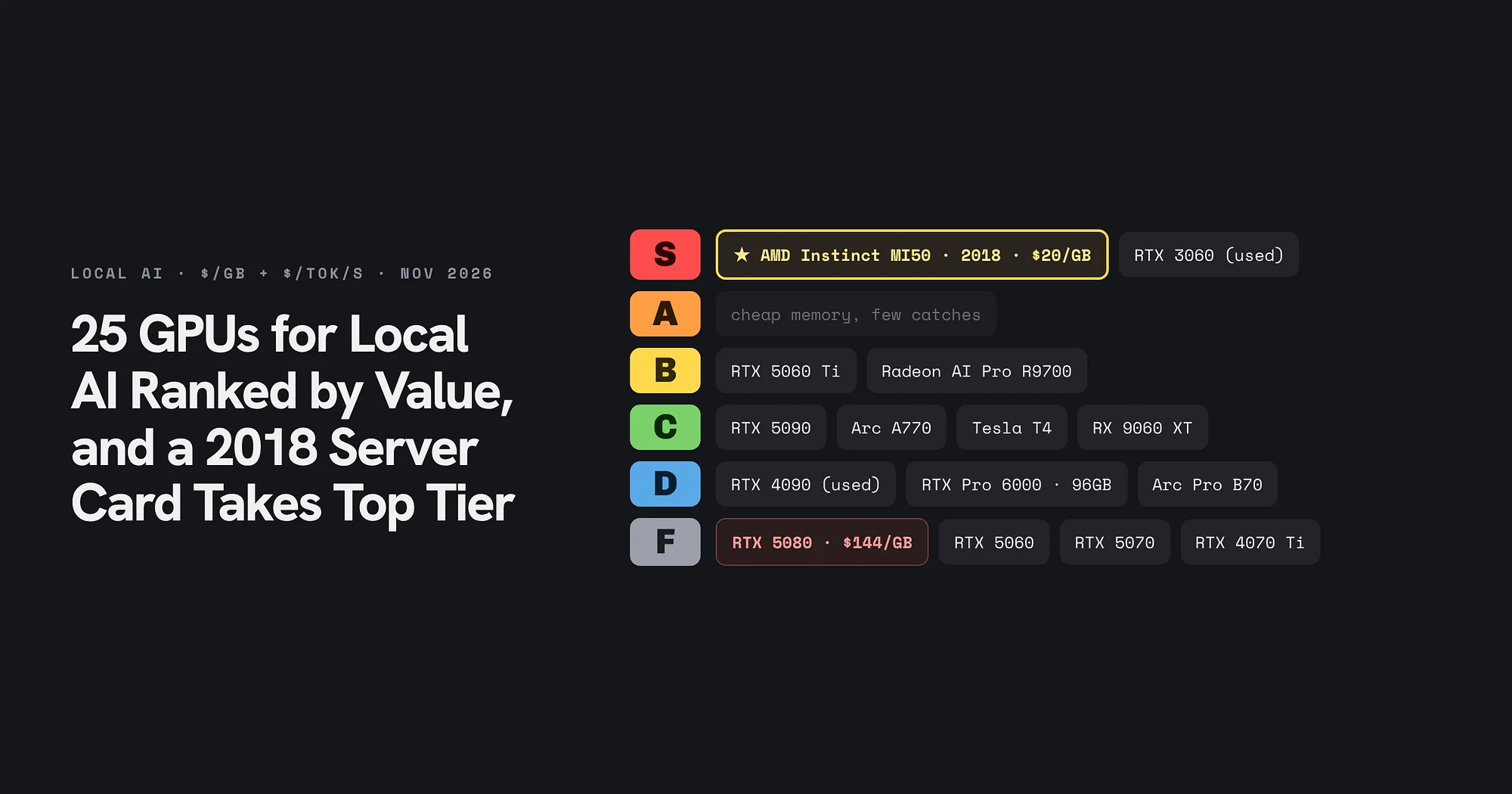
25 GPUs for Local AI Ranked by Value, and a 2018 Server Card Takes Top Tier
A November 2026 price snapshot grades 25 cards on dollars per gigabyte and dollars per token per second. The AMD Instinct MI50 and a used RTX 3060 take S tier, the RTX 5080 lands in F, and memory decides almost every grade.
AI & GPU compute
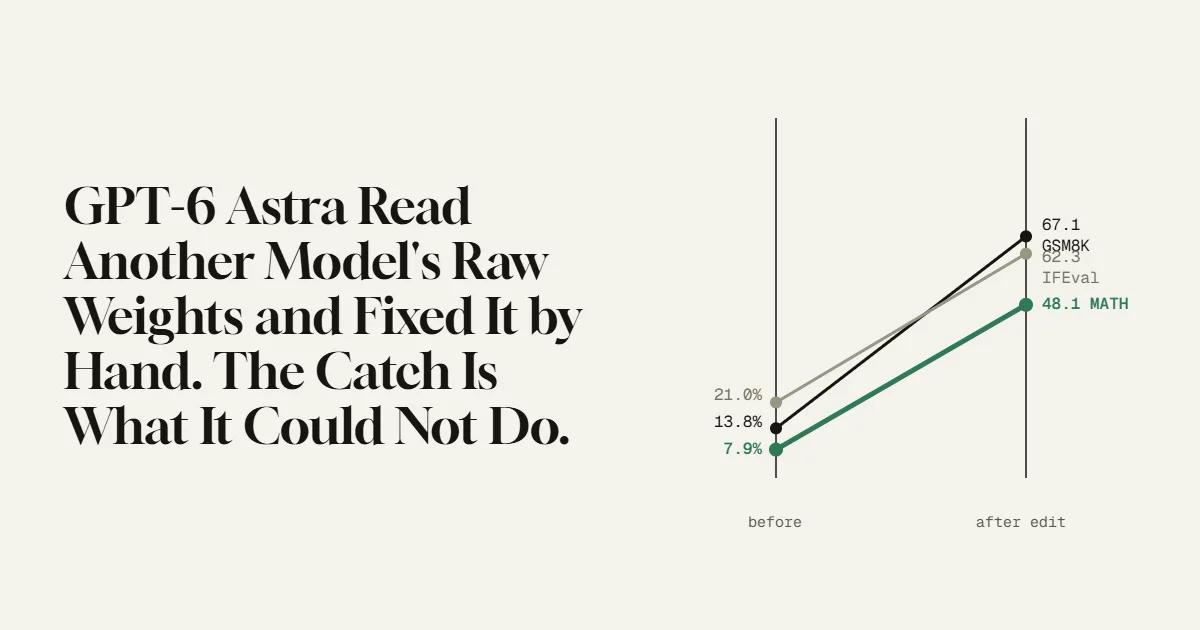
GPT-6 Astra Read Another Model’s Raw Weights and Fixed It by Hand.
MIT researchers had GPT-6 Astra edit 0.016% of a small model’s weights, with no training, and its math score jumped from 7.9% to 48.1%. The number is real and the method is strange. The limit they found in the same paper is the part worth understanding.
AI & GPU compute
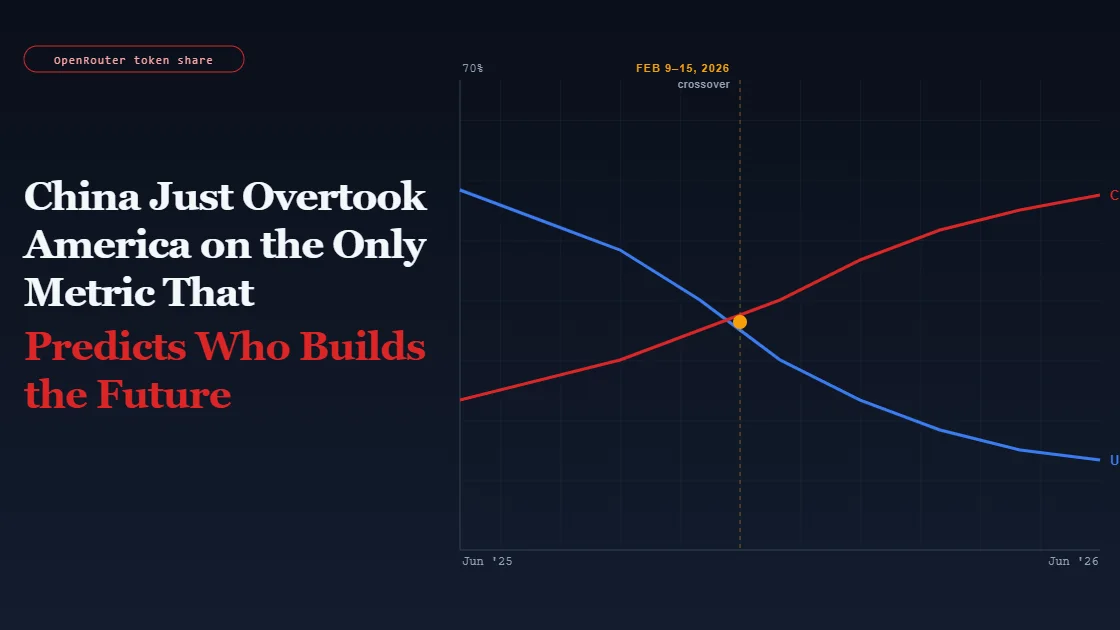
China Just Overtook America on the Only Metric That Predicts Who Builds the Future
Note: This article discusses ongoing industry developments and government policy. It is for informational purposes only.